ADHD-friendly family planner: how to choose one for your household
What if the best ADHD friendly family planner isn’t the one with the most features, but the one that makes the next shared action easy to see? Plans can live in messages, notebooks and separate apps, while one person ends up carrying the job of remembering and relaying them. It’s a familiar kind of household muddle, and adding a complicated system can create more work rather than less.
The right setup should fit how your household already communicates. It should make plans visible, keep the next step clear and be simple to update when the week changes. A planner isn’t a treatment for ADHD, but a shared place for household information may make coordination easier for everyone involved. In this guide, we’ll compare paper, digital and combined planner formats, then look at useful features such as shared calendars, reminders and task lists. You’ll be able to weigh up what suits your family, without turning organisation into another job to maintain.
Key Takeaways
- An ADHD friendly family planner should make plans, tasks and next steps easy to see, but the right setup depends on your household.
- Compare paper, digital and combined formats by how well they support visibility, updates, reminders and day-to-day upkeep.
- Look for quick ways to capture plans, clear task ownership and a shared view that fits the devices your family already uses.
- Test your choice with one routine first. Add only essential plans, involve the people who need them and review how it’s working.
- A small trial can show whether the system fits your family before you move more household planning into it.
What makes a family planner ADHD-friendly?
An ADHD friendly family planner is a system designed to make plans, tasks and next steps easier to see and act on. It doesn’t need special labels or a complicated method. The useful question is whether your household can quickly find what’s happening, who’s responsible and what needs doing next.
There’s no single format that suits everyone. Some people prefer writing plans on paper; others need a wall display they’ll pass throughout the day, a digital planner they can check on the move, or a combination. Preferences can differ within one household, too. The aim is to choose a shared approach people will actually use, not to make everyone plan in the same way.
Which planning challenges should a household system support?
Working memory is the ability to hold information in mind while doing something else. For some people with ADHD, remembering a message about an appointment while handling the rest of the day can take extra effort. Task initiation, or getting started, may also feel harder when a task is vague or has no obvious first step. These experiences vary, and neither applies in the same way to every person with ADHD.
Household plans can be difficult to act on when they’re spread across messages, notes and separate calendars. Imagine a school day: one parent mentions a dress-up day in a chat, another has the pick-up time in a diary, and the child’s packed lunch still needs sorting. A shared view can bring the relevant details together, including the next action and who’s taking it on. It’s not about assigning blame when something slips. It’s about making shared responsibilities easier to see.
What does “ADHD-friendly” mean in practice?
Look for a layout that makes the important details stand out without crowding the page. A clear order, familiar sections and a small number of steps to add or update a plan can make the system easier to return to. For example, an entry might show the time, activity, person responsible and any immediate preparation in one place.
Flexibility matters as much as structure. If an appointment moves or the school run changes, updating the plan should feel manageable. A missed review or a disrupted routine doesn’t mean the system has failed. It may simply need a lighter touch, such as checking the week together on Sunday and making changes as they arise.
Test what works in real life rather than choosing by label alone. Does paper stay visible, or get buried under post? Is a digital calendar easy for everyone to access? Would a wall display help, while a phone reminder supports plans away from home? Start with one routine and adjust from there. A meal-planning feature, for instance, may help make the week’s meal decisions visible as part of household planning. The best fit is the one that makes the next step clearer without becoming another system to maintain.
Which family planner format is easiest to keep using?
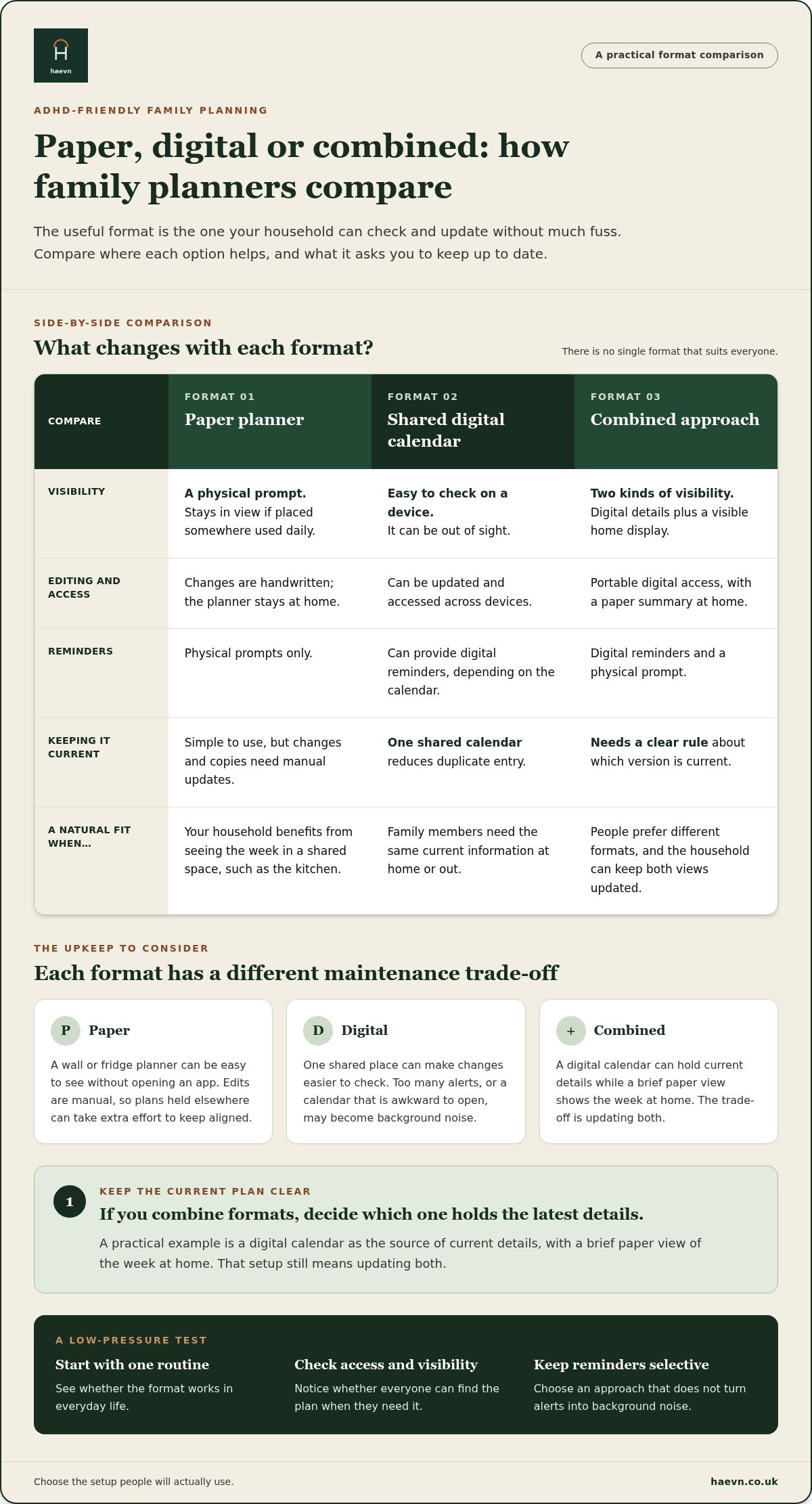
The best format is the one your household can check and update without much fuss. A paper planner can be hard to overlook; a shared digital calendar can be easier to change and access away from home. Combining them may work too, provided you decide which one holds the current details. Here’s how the options compare.
| Format | Visibility | Editing and portability | Reminders | Keeping it current |
|---|---|---|---|---|
| Paper planner | Stays in view if placed somewhere used daily | Changes are handwritten; it stays at home | Physical prompts only | Simple to use, but changes and copies need manual updates |
| Shared digital calendar | Easy to check on a device, but can be out of sight | Can be updated and accessed across devices | Can provide digital reminders, depending on the calendar | One shared calendar reduces duplicate entry |
| Combined approach | Digital details plus a visible home display | Portable digital access, with a paper summary at home | Digital reminders and a physical prompt | Needs a clear rule about which version is current |
When can a paper planner work well?
A wall or fridge planner can suit a household that benefits from seeing the week in a shared space. It’s there during breakfast or as everyone comes through the kitchen, without needing to open an app. Use clear names, times and short notes, rather than squeezing every detail into a small box.
There’s a trade-off: edits are manual. If plans also live in separate notebooks or on another board, keeping them aligned takes extra effort. Set aside a short weekly review to update the visible plan together. Keep it focused on the coming days, and add changes when they happen.
When might a shared digital planner fit better?
A shared calendar can help when family members need the same current information, whether they’re at home or out. Compared with separate apps, one shared place means a change to a pick-up time doesn’t have to be copied into several calendars. It also gives household members a way to check plans directly, rather than relying on one person to pass every update along. For example, a shared calendar with recurring events can keep regular activities alongside one-off plans.
Digital isn’t automatically easier. A calendar that sends too many alerts, or is awkward to open, may become background noise. Check whether everyone can access it on the devices they already use and whether reminders can stay selective. Preferences for planning tools differ, so focus on whether the format feels comfortable and practical for the people who’ll use it.
A combined setup can suit households with different preferences: use a digital calendar as the source of current details, then display a brief paper view of the week. That does mean updating both. If you’re weighing up a shared digital view, explore a household planning space and consider whether it fits the way your family already organises plans.
How to compare ADHD-friendly family planners without overloading your routine
A planner can look impressive and still ask too much of your household. Compare it by the work it removes from your day, not by the length of its feature list. For an ADHD friendly family planner, a useful starting point is whether it helps everyone capture, find and act on shared information with manageable effort.
Use this checklist when comparing options:
- Easy capture: Can someone add an appointment or task quickly, without navigating several screens or deciding where it belongs?
- Clear ownership: Is it obvious who is handling a task, rather than leaving one person to remember and delegate everything?
- Shared visibility: Can the people who need the information find the same current plan?
- Manageable reminders: Can you choose a few helpful prompts without filling the day with alerts?
- Fit with everyday life: Does it work on the devices and within the routines your household already uses?
- Privacy and permissions: Can access be limited to the people who need it, with age-appropriate boundaries for children?
More features don’t automatically make a planner easier. Each extra view, alert or category can mean another decision to make and another detail to maintain. A simple calendar and shared list may be more useful than a system that tries to organise every part of family life. A planner can help make household arrangements visible, but it isn’t a treatment for ADHD or a substitute for professional care.
How much structure and prompting is useful?
A simple overview makes the main commitments easy to scan, but may not show the smaller steps needed to prepare. A detailed schedule can spell those steps out, though too much detail may make the plan harder to update or take in. Try a middle ground: record the appointment, the person responsible and the next practical action. Add more detail only where it helps.
Use reminders selectively. A prompt may help for a time-sensitive appointment or a task that’s easy to overlook, while routine items may not need another alert. If reminders become background noise, reduce them. They can draw attention to a task, but the task still needs someone to act on it.
Can the planner support shared family responsibility?
Check whether a task can be assigned clearly and seen by the people involved. A shared list is more useful when “buy packed-lunch supplies” has an owner than when it sits in a general pile of tasks. This makes responsibility visible without relying on one person to keep the full household plan in mind. For practical ideas on organising everyday household administration, see this guide to planning for busy families.
Keep the first version small. Add one routine, agree who updates it, and notice which details people actually use. If a shared digital space feels easier to test, try a household planning space as one way to explore what suits your routines.
How to test a family planner before making it part of daily life
A planner can seem clear when you’re setting it up, then feel like a chore once the week gets busy. Try it with one routine before moving the whole household’s plans across. This gives you a practical way to see whether the system helps everyone find the next action and update changes comfortably.
- Choose one routine. Pick a repeatable part of family life, such as school mornings, weekly shopping or planning meals. Keep the trial focused on that routine rather than adding every appointment and household task.
- Add only essential details. Include what needs to happen, when it matters, who is responsible and any useful preparation. For meal planning, that might be the meals for the week and the shopping needed. A shared meal-planning tool is one option for keeping those details together.
- Invite the relevant family members. Include the people who need to use or update this part of the plan. Agree who adds changes and where to check for the current information. Children can take part in an age-appropriate way, such as choosing a meal, without turning the planner into a way to monitor them.
- Review and adjust. After using the system for the routine, talk about what was easy to find, what was awkward to update and whether the next action was clear. Keep useful parts, change what caused extra work and leave unrelated planning for later.
Start with one recurring family routine
Choose a routine that already comes round regularly, rather than an unusual or especially complicated week. For school mornings, you might record start times, who is doing pick-up and one preparation task for the evening before. For shopping, list the essentials and the person picking them up. The aim is to coordinate that routine, not create a detailed record of everyone’s day.
Keep the first setup deliberately small. Resist importing old reminders, every calendar entry and tasks that don’t relate to the test. A smaller plan is easier to scan, and it gives you a fairer sense of how much upkeep the format actually needs.
Review what helped and what created extra work
Ask each participating adult what they could find quickly and what they had to ask someone else. Check whether everyone could add a change without confusion, and whether reminders were useful or simply added noise. Remove duplicate entries, unused steps and notifications that don’t help with that routine. If keeping the plan current starts to feel like another job, simplify it or try a different format. That’s useful feedback, not failure.
If you’d like to test a shared digital setup with one routine, set up a household planning space and keep the first version focused on what your family needs to coordinate.
How Haevn helps with this
Haevn is a family hub for bringing household plans and administration together, not an ADHD-specific planner or a clinical tool. It doesn’t diagnose or treat ADHD. A shared planning space may help your household see what’s coming up and who’s handling the next task, but the right setup depends on the people using it.
Which Haevn features relate to shared family planning?
The Hub gives a daily overview of family activity, while The Plan is a shared calendar for appointments, events and recurring plans. Family members can check the calendar rather than depending on one person to relay every update. For households comparing calendar options, The Plan’s shared calendar brings family events into a shared view.
The List holds shared shopping and to-do lists, so practical actions have a place alongside calendar plans. Chores offers another place for household tasks. You can start with only the features that suit the routine you’re coordinating, then decide whether other household information belongs in the same hub.
For example, use The Plan for a regular activity and The List for a related preparation task. The Hub gives a daily view of family activity, so household members can check what’s happening and what needs attention. It’s still up to each person to keep relevant details current.
What to expect before trying Haevn
The Circle supports up to 8 family members, with member invitations and permissions for shared access. Think about who needs to see or update household information, and keep access appropriate to each person. Haevn supports household coordination, not child monitoring.
It’s useful to be clear about the boundaries. Haevn doesn’t control smart-home devices or connect to bank accounts. It isn’t treatment for ADHD, and a planner can’t replace advice or care from a qualified health professional. Its role is to give household information a shared place.
Start with a few current plans and tasks, then notice whether the right people can find and update them without adding more admin.
Start your free trial. 14 days free, no card required.
Make one small change to start
Your next step doesn’t need to be a full household overhaul. Pick one recurring routine and give your chosen system a fair try. Notice whether everyone can find the information they need, whether the next action is clear and whether updates feel manageable. If not, adjust the setup. A simpler version may suit your household better.
An ADHD friendly family planner is most useful when it fits around real life, including the weeks when plans shift and routines wobble. Shared tools can help make household coordination more visible, but they aren’t treatment for ADHD. The aim is not a perfect calendar. It’s a calmer way to share the remembering, planning and small decisions that keep family life moving.
Start with the routine that would benefit most from being easier to see. Keep what helps, change what doesn’t, and let your household’s experience guide the next step. Start your free trial. 14 days free, no card required.
Frequently asked questions
Can a family planner help with ADHD-related planning difficulties?
A family planner can give household commitments a consistent place to land, which may be useful if details are easy to lose among messages or conversations. For example, after a change to a school arrangement, add the revised time and any follow-up needed in the same entry. An ADHD friendly family planner is an organisational aid, not a way to assess someone’s needs or predict what will work for them.
What should I look for in an ADHD-friendly family planner?
Check whether ordinary household information is easy to understand at a glance. Try entering an event with a changed time, a location and a preparation note, then see whether those details remain clear in the view your family uses. Also consider whether the system lets you correct an entry without starting over. Small practical checks can tell you more than a long list of advertised features.
Is a paper or digital family planner better for ADHD?
Choose according to where your family tends to notice and enter information. If plans are usually discussed at home, a visible paper prompt may be convenient. If updates arrive while people are out, digital access may make them easier to record at the time. You might also consider whether anyone needs larger text or a less cluttered display. The best choice is personal, not determined by a diagnosis.
Can a shared family calendar reduce the mental load?
It may reduce repeated questions about dates and timings, but a calendar alone doesn’t divide the work of managing them. Agree who enters new commitments, who updates changes and which events need preparation. For instance, one adult might add an appointment while the person attending adds a note about what to bring. Clear agreements help turn shared information into shared responsibility.
Can a household planner replace ADHD treatment?
No. A planner can help organise appointments and everyday tasks, but it doesn’t provide assessment, therapy or medical advice. If you’re considering support for ADHD, discuss options with a qualified health professional. You can still use household planning tools alongside appropriate care, as long as their role stays practical: keeping family arrangements visible rather than attempting to manage health needs.
Who should have access to a family planner?
Include the people who need to add, check or act on household plans, rather than sharing every detail with everyone by default. A household might give adults access to appointments and shared tasks while keeping unrelated personal notes elsewhere. Review access if circumstances change, and explain to children what information is being shared in a way that suits their age and understanding.